

Planning an event with a live broadcast requires more than choosing cameras and microphones after the venue is confirmed. The right audio visual solutions should reflect the event format, production demands and viewing experience early. When organisers make these decisions early, they can build a setup that supports both in-room and remote audiences.
1. Define the event format
Start by establishing what the event needs to achieve. A conference with keynote presentations has different production requirements from a product launch, awards ceremony or hybrid training session. The format affects camera positions, microphone choices, display needs and the amount of switching required during the programme. It also determines whether live event video streaming services need to handle a simple single-stage broadcast or a multi-session production.
2. Map the audience experience
Consider where each audience will watch and what they need to follow comfortably. People in the venue may rely on projection screens, confidence monitors and clear reinforcement, while remote viewers need consistent framing, understandable speech and useful graphics. Planning both experiences together helps organisers avoid treating the livestream as an afterthought. It also gives the production team a clearer basis for selecting audio visual solutions that work across physical and digital spaces.
3. Assess the venue before production
The venue can shape the technical plan as much as the event. Check available power, internet connectivity, rigging points, lighting conditions, room dimensions and access routes before finalising the equipment. A venue with limited loading access may require a different equipment strategy from a purpose-built conference space. Internet capacity deserves particular attention because live event video streaming services depend on a stable connection.
4. Match production quality to content
Not every event requires the same level of visual production. A panel discussion may benefit from several camera angles and clear speaker transitions, while a demonstration may require close-up shots that show products clearly. Think about what the audience needs to see rather than simply adding equipment. This approach can keep audio visual solutions aligned with the content and prevent unnecessary production complexity.
5. Plan presenter and speaker requirements
Speakers often introduce challenges that organisers can address before event day. Identify how many presenters will appear, whether they will move around the stage, and whether they need presentation slides, video playback, remote participation or audience interaction. Microphone selection should account for movement and speaking style, while confidence monitors can help presenters maintain their flow without turning away from the audience.
6. Confirm the broadcast workflow
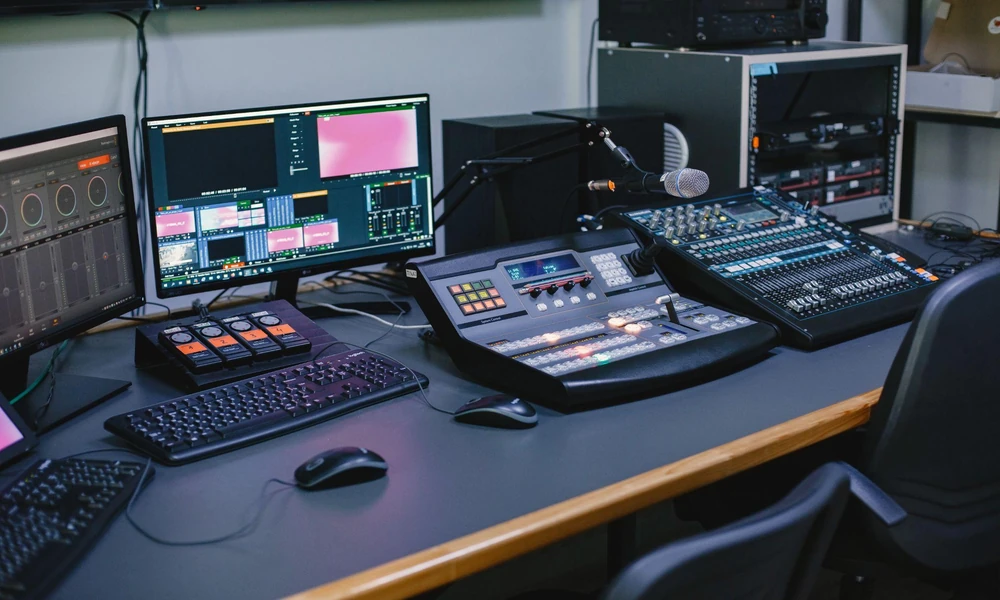
A livestream involves more than sending a camera feed online. Decide how the programme will move from cameras and microphones through switching, graphics, encoding and distribution. Establish who controls each stage and how the team will respond if a source fails. Organisers should also confirm the viewing platform, recording requirements and access arrangements before production begins. Clear responsibilities reduce confusion during the event.
7. Build a practical preparation checklist
Before confirming the final setup, use a preparation checklist to test whether key requirements have been covered.
- Confirm the event format, schedule and session transitions.
- Identify audience locations and viewing requirements.
- Check venue power, internet, lighting, rigging and access.
- Confirm camera positions and microphone requirements.
- Test presentation, playback and remote participation needs.
- Define the livestream workflow and production responsibilities.
- Confirm recording, platform access and backup arrangements.
- Schedule a technical rehearsal with presenters and operators.
This checklist gives organisers a way to identify gaps before equipment arrives. A technical rehearsal should then test the journey from stage to audience, including handovers between speakers, presentation sources and broadcast elements.
Conclusion
The most effective event planning decisions connect production requirements with the way audiences will experience the programme. By considering the format, venue, content, speakers and broadcast workflow together, organisers can make technical choices with a clearer purpose. Early planning also gives production teams enough information to design audio visual solutions that remain dependable when the event moves between physical and online audiences.
Contact Media Architects to discuss the technical requirements for your next event and determine how its production and broadcast setup should be planned from the outset.
